Two Ways to Join, One Community
Whether you are looking for math support or ready to start tutoring, MatheCord gives you a clear way to connect. Here is how each option works, what you pay, and what happens when you get started.
I Need a Tutor
Browse profiles from independent tutors who set their own rates and availability. Find someone who fits your needs, connect directly, and pay your tutor without MatheCord taking a commission.
- Filter by topic, price, country, language, and time zone
- View a full week of availability before reaching out
- Read feedback from other students before choosing a tutor
- Access free practice worksheets and community support
I Want to Tutor
Create your profile, choose the topics you teach, and set your availability so students can find you. You set your own rate, and MatheCord takes no commission from your tutoring fees.
- Set your own rate and keep what you earn
- Your profile appears on the website and Discord
- Set your availability for each day of the week
- Host workshops and build your presence in the community
Connecting MatheTutors and MatheStudents
Tutor and student communication takes place through a support ticket rather than a private inbox. The MatheCord team monitors and reviews these conversations to provide greater transparency, support, and accountability for both students and tutors.
Keep questions, scheduling details, and other tutoring communication in your ticket so there is a clear record of the conversation. Sessions take place on Lessonspace or another platform your tutor prefers, and tutoring fees are paid directly through the tutor's own payment link.
Find a Tutor in the Directory
Filter by topic, price, country, language, time zone, and availability. Review the full profile before deciding which tutor is right for you.
Select Message
The tutor's Discord name is automatically copied to your clipboard, and the support ticket link opens. There is no need to write down or remember the username.
Paste the Name Into the Ticket
Enter the tutor's name into the provided field. You can also include a brief description of what you need help with to give your tutor helpful context.
The Bot Connects You With Your Tutor
The bot reads the name, adds the tutor to your ticket, and notifies them so they know you are ready to connect.
The MatheCord team monitors and reviews tutor and student ticket conversations.What a Tutor Profile Includes
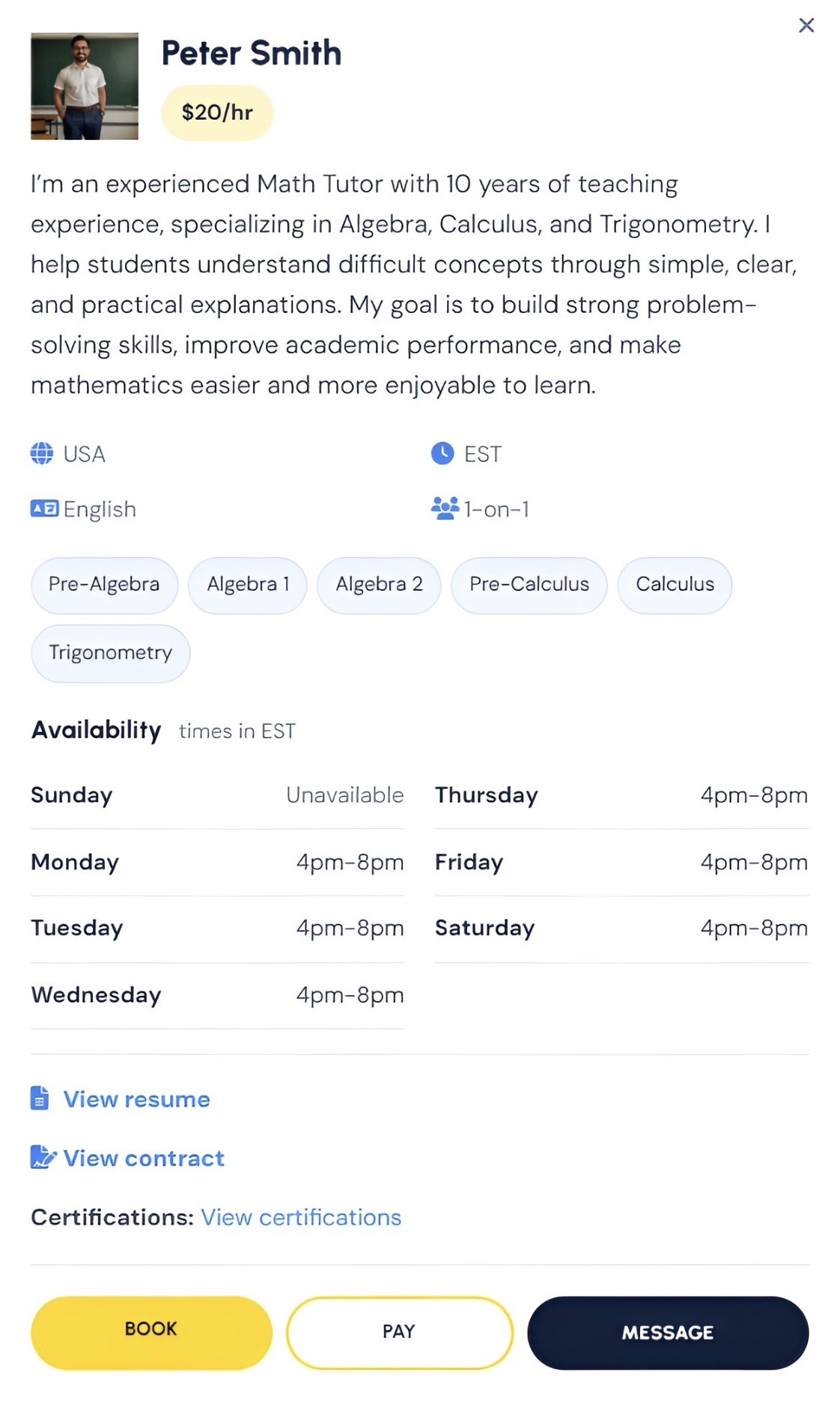
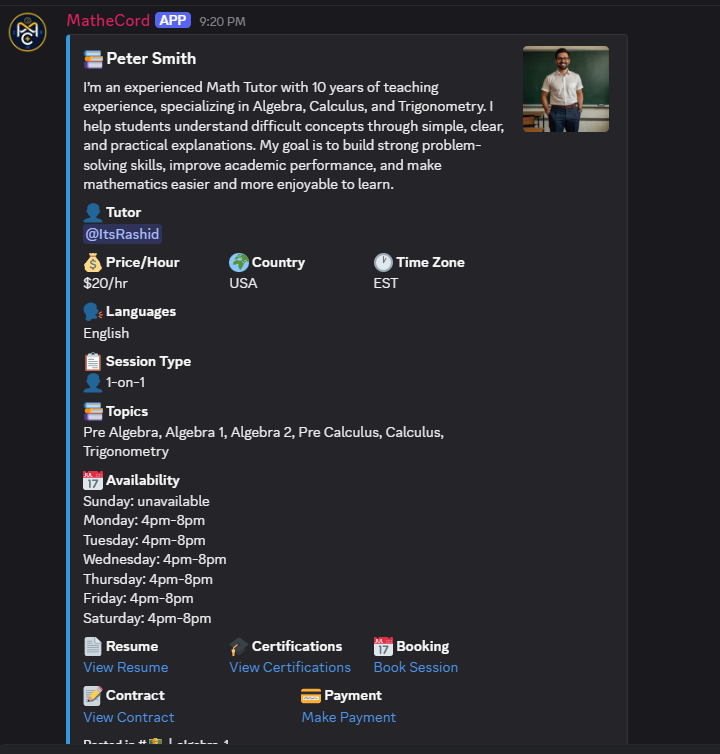
Tutors create their profile once, and it appears on both the MatheCord website and relevant Discord topic channels.
What Students See
- Hourly rate set by the tutor
- Topics and teaching approach
- Country, time zone, and languages
- Availability for all seven days
- Resume and certifications
What Tutors Provide
- Photo, name, and a detailed professional introduction
- Your rate in the currency you use
- One on one sessions, group sessions, or both
- Availability for each day or days marked unavailable
- Your own booking and payment links
Understanding What You Pay
MatheCord membership and tutoring session fees are two separate payments. Here is what each one covers.
Your MatheCord Plan
Paid to MatheCord based on your selected billing option.
- Access to the tutor directory
- The ticket system for contacting tutors
- Free digital practice worksheets
- Community channels and workshops
- A Lessonspace account for sessions
Your Tutor's Fee
Paid directly to your tutor for each session.
- Rates are set by individual tutors
- Rates are displayed on tutor profiles before you make contact
- Payments are made through the tutor's own payment link
- Session arrangements are agreed upon directly with your tutor
- MatheCord takes 0% of tutoring fees
What MatheCord Does and Does Not Do
We believe you should understand MatheCord's role before you sign up.
What We Do
MatheCord is responsible for:
- Hosting the tutor directory and maintaining active profiles
- Monitoring and reviewing tutor and student communication through the ticket system
- Removing profiles when a subscription lapses
- Investigating reports of fraud or inappropriate behavior
- Managing the community and providing free practice worksheets
- Moderating tutor led workshops and helping promote them
- Recording sessions held through Lessonspace to provide additional protection for both students and tutors
What We Do Not Do
Students and tutors remain responsible for:
- Verifying tutors and requesting credentials or background information
- Handling tutoring session payments, including refunds
- Agreeing on tutor rates and session pricing
- Scheduling and managing individual tutoring sessions
- Setting expectations for academic outcomes
- Any arrangements or communication that take place outside MatheCord
Review each tutor's profile and ask questions before booking. Tutors are independent educators, so request credentials, check available reviews, and keep your communication in the MatheCord ticket system. A parent or guardian should supervise sessions involving anyone under 18. If you notice suspicious activity, open a support ticket so the MatheCord team can investigate.
Choose How You Want to Get Started
Whether you are looking for a tutor or ready to become one, every MatheCord plan starts with a free trial.
Still deciding? Read the FAQ or explore the MatheCord community on Discord.